
Gantt charts
Project planning and Gantt charts
Planning tasks, keeping the schedule current and reading progress at a glance.
Translated from the French original. The screenshots show Odoo in French, as our Senegalese clients use it.
Introduction
One of the essentials of project management is planning the tasks properly. You also need to be able to update the schedule easily when things run late or overrun.
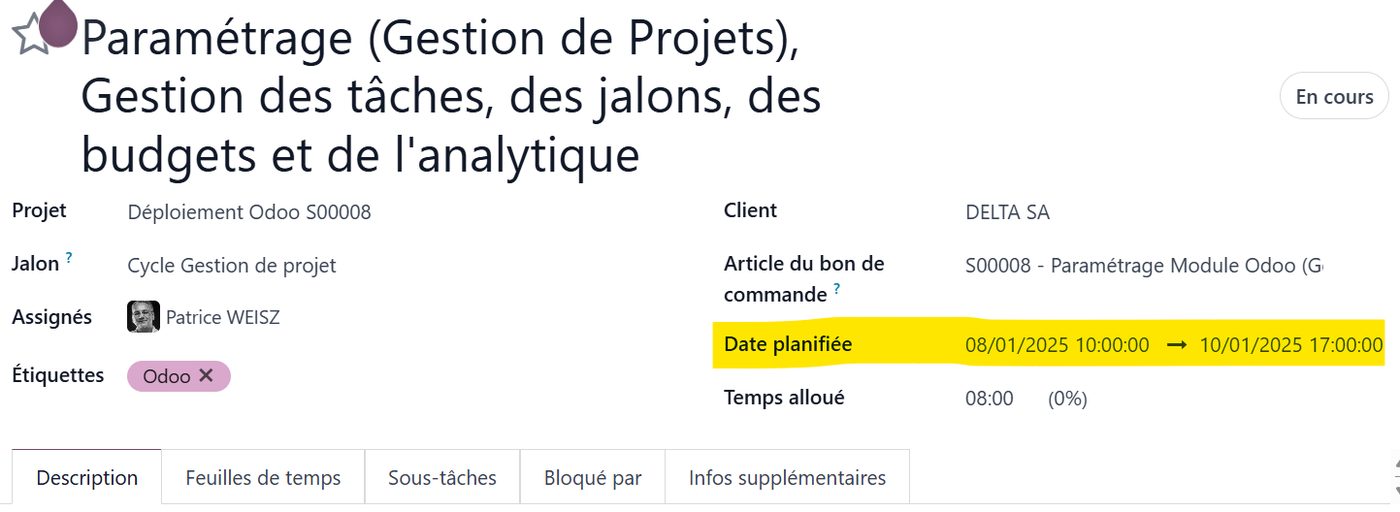
In Odoo, once the project has been created (and remember it can be created automatically from a sales order whose lines are "services" sold by the day or by the hour), you can enter a deadline for each task, or replace it with a start date and an end date between which the task may be carried out.
In this article we take as our example a project to roll Odoo out at one of our clients. The tasks were created automatically from the order by our favourite ERP, and correspond either to configuration days or to training days.
The Gantt chart
Opening and editing each task one by one to enter the dates soon becomes tedious. To make life easier, Odoo has the Gantt view:
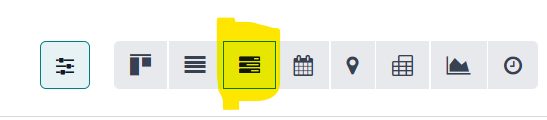
The Gantt view lets you drop an existing task in with a double click and, above all, set its dates by dragging the ends with the mouse and releasing them on the right cells — exactly as you would move, lengthen or shorten an event in Google Calendar.
Here, for example, the start and end dates of this task run from 6 to 7 January 2025. A single click shows a pop-up with every detail of the task, and lets you edit it there and then if you need to.
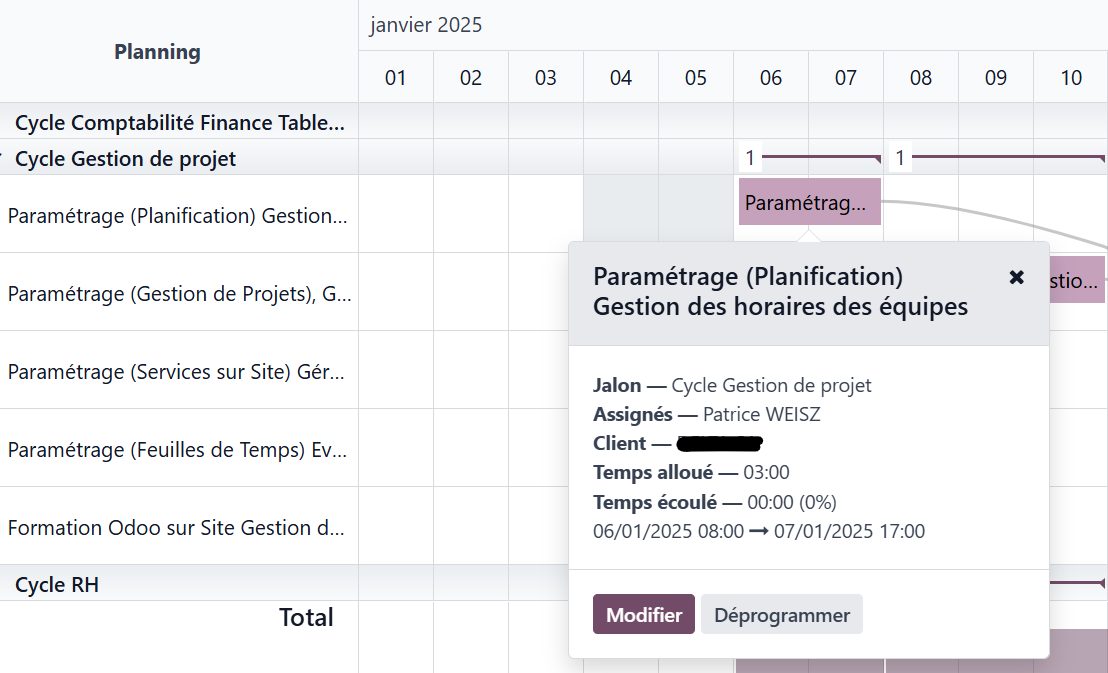
Click an empty cell in the calendar and you can pick one or several tasks, which will be placed on the date you clicked.
The Gantt view offers a great deal for planning effectively.
Let us start with the milestone view of our project:
Milestones
A project usually runs in several phases, each grouping a set of tasks. In Odoo these phases are called milestones.
In the quotation you can ask Odoo to create milestones automatically when the order is confirmed. Once a milestone is complete — when every task it groups is finished — it can be invoiced as one of several progress claims. This is milestone-based project invoicing.
Here we have tied each task to a milestone. Each of our milestones matches a workflow at the client's: it may cover the use of one or several Odoo modules.
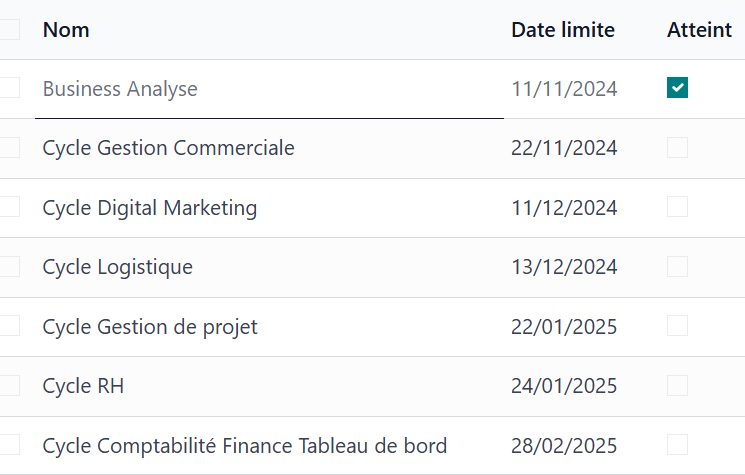
In the Gantt view, milestones appear on the left as "folders" of tasks, and their deadline is drawn as a diamond and a line — not to be crossed — on the right:
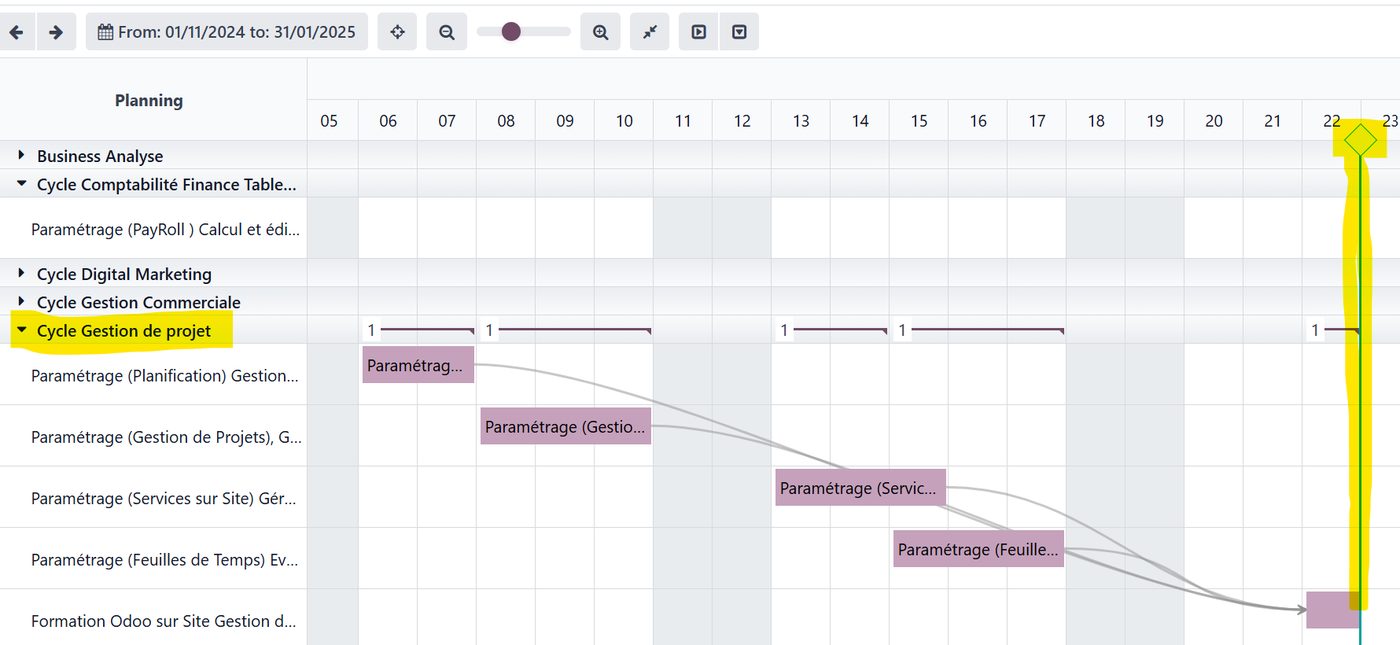
Navigating the schedule milestone by milestone, and watching each one progress, is therefore straightforward.
Blocking tasks
You will have noticed the arrows between the tasks above. Those are task dependencies. Here the last task before the milestone is complete is training the users on the Project module. In our deployment method that comes once all the configuration is done and signed off, so that the company's staff are trained on the tool as we have tailored it, following the analysis carried out with the project teams.
If a deployment task has fallen behind, Odoo flags the problem and warns that the training must be pushed back (see the orange link below).
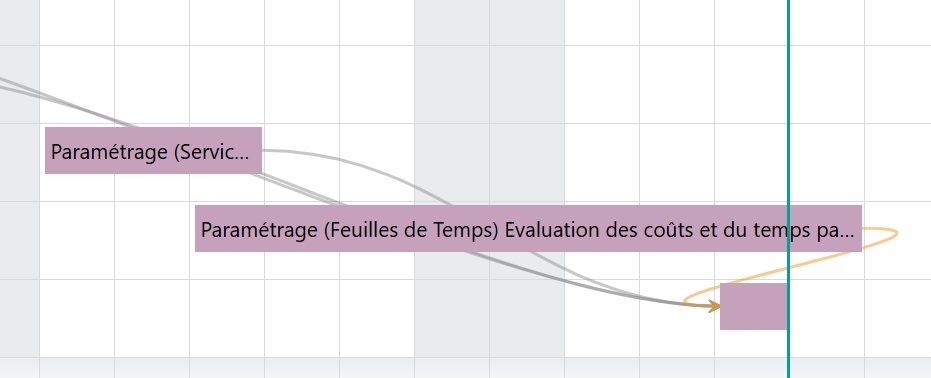
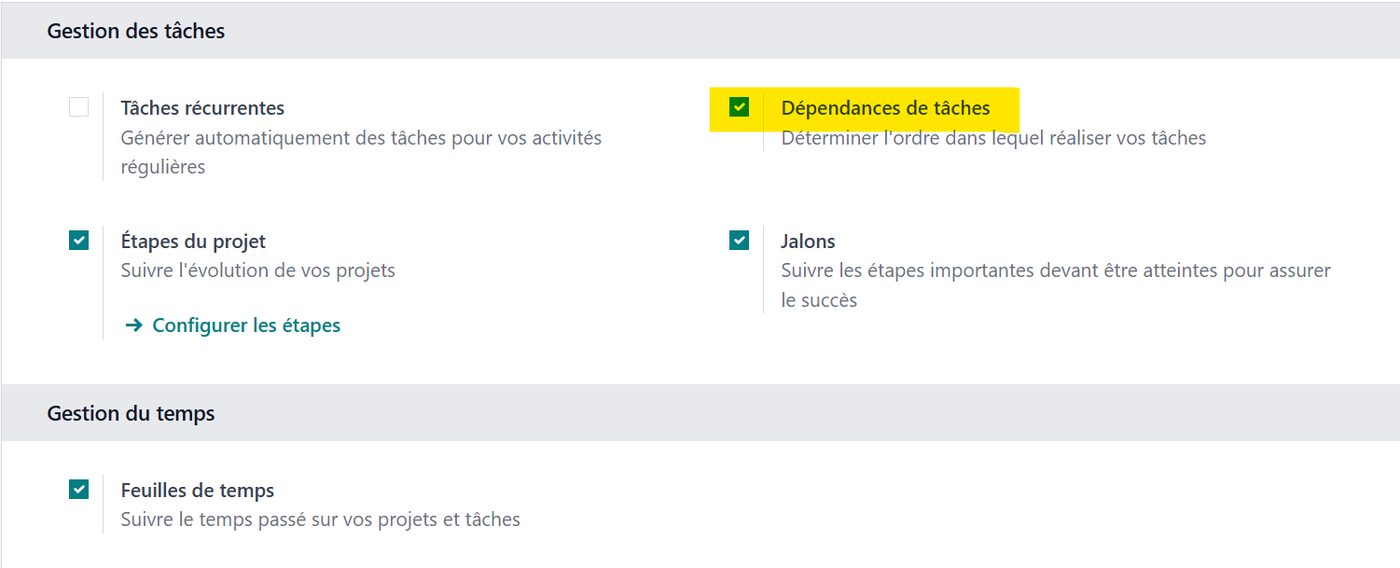
To switch these task dependencies on, tick the matching option in the Project module settings:
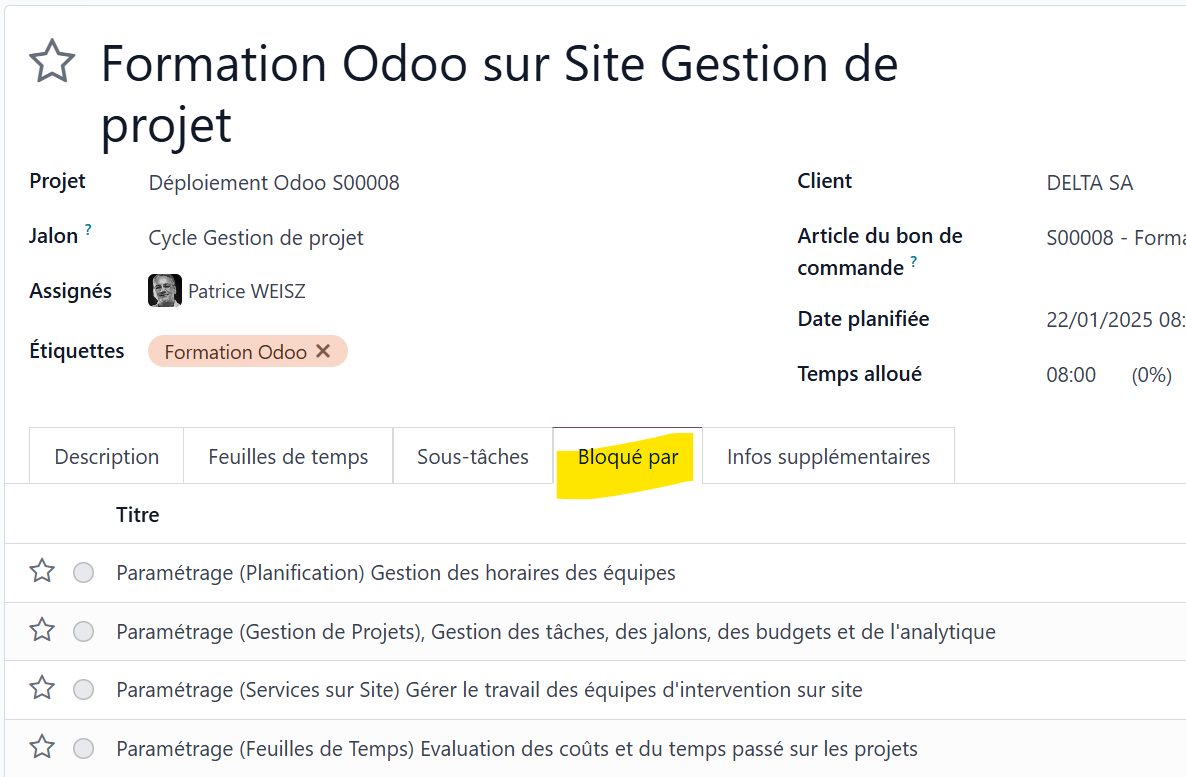
Then either you pick the list of blocking tasks in the task's own tab:
Or, from the Gantt view, you pull a link and drag it across to the blocking task.
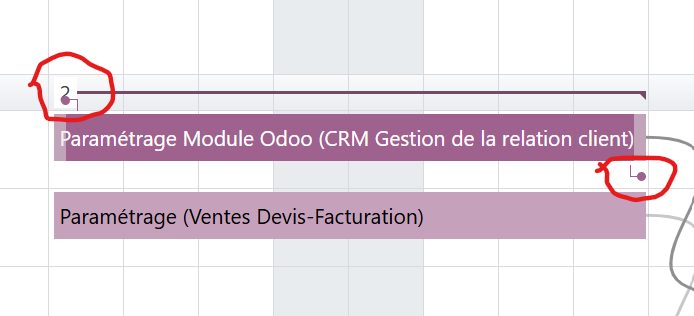
In short, the Gantt view of Odoo's Project module is an interactive tool that is easy to use, very powerful and very effective for following your projects.
And there you are.
We hope this small example has shown you how easy Odoo is to use, and how much it can do.
If you would like to know Odoo better, or if you are thinking of deploying this fine tool in your organisation, do get in touch with one of our experts using the "Get in touch" button at the top of this page.