
Odoo floor plan
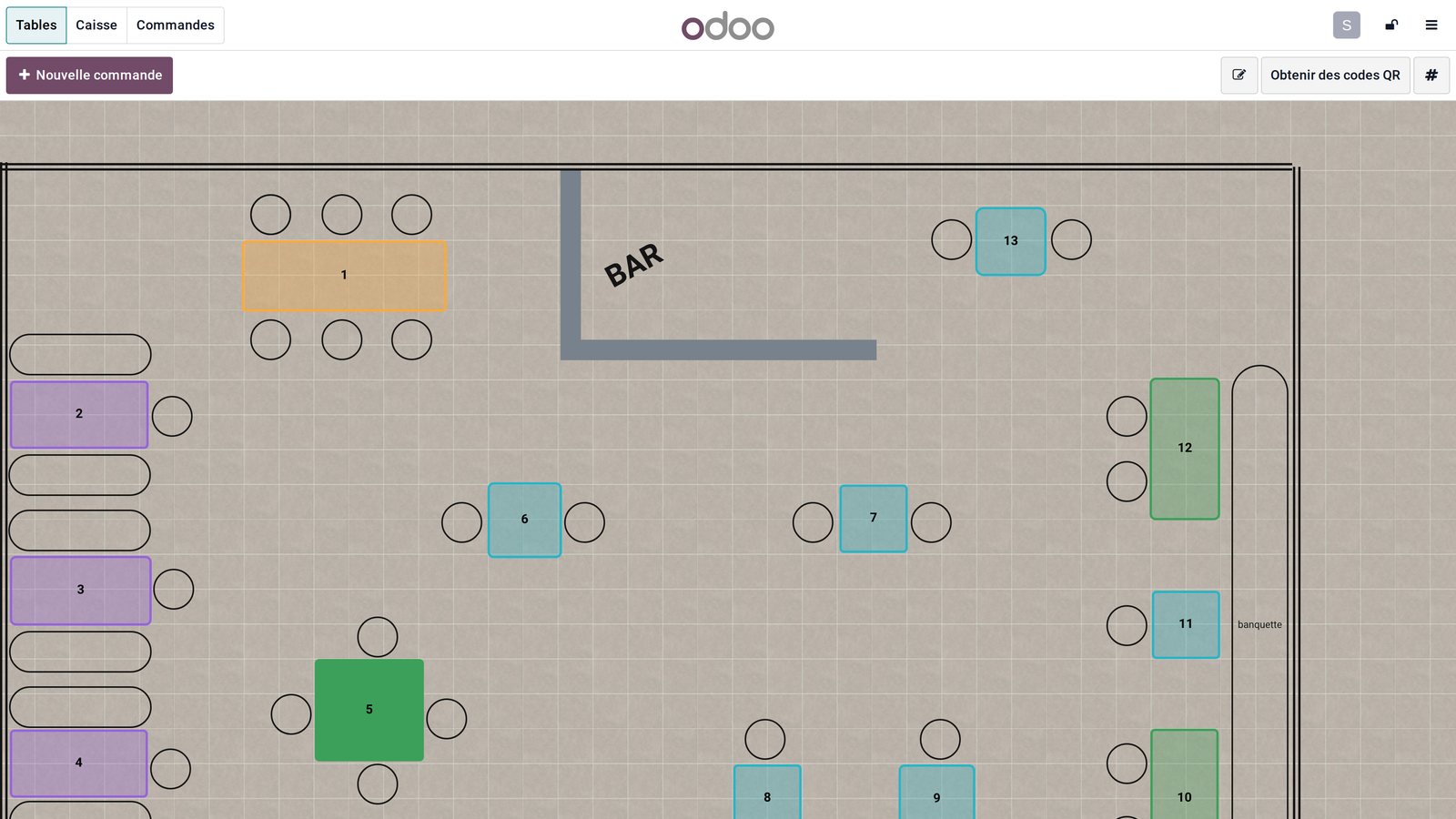
Your dining room on screen: every table, its status, its guests and its bill.
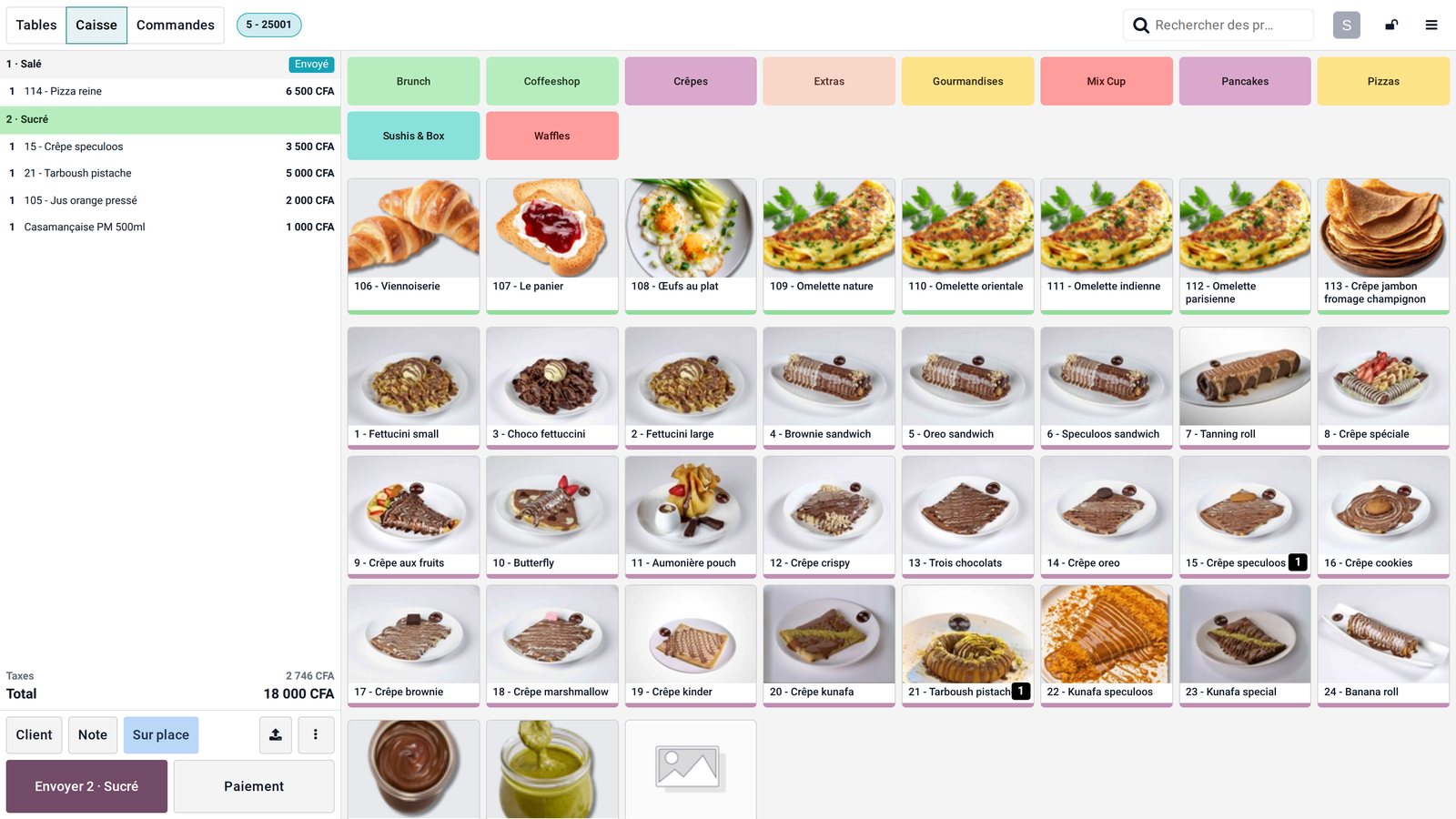
The waiter taps a table, takes the order by course — starter, main, dessert — and sends it to the kitchen. The floor sees free, served and to-be-paid tables at a glance.
What the Floor plan app does.
Main room, terrace, upstairs: round or square tables, seats, colours, bar and decor, to the scale of your restaurant.
Free, order in progress, sent, to be paid: the colour changes on every tablet at once.
Savoury then sweet, starter then main: each course goes to the kitchen when the waiter decides.
"No onion", "well done", "peanut allergy": the note follows the dish to the kitchen screen.
Number of covers, amount per guest, bill split by person or by item.
A customer moves table, two tables join: the order follows without being re-entered.
Bill printed before payment, tip added at payment time, final receipt for the customer.
The customer scans the table code to see the menu, order or pay from their phone.
In Odoo, at Sit n Dip, in Dakar.
The settings that matter.
The number painted on the table is the one on screen: the first thing we note when we visit the room.
Savoury and sweet for a crêperie, starter, main and dessert for a restaurant: courses follow the way you serve.
Tablets share tables in real time; the waiter no longer walks back to the counter to key in.
A dish cancelled after being sent to the kitchen stays visible to the manager, with its reason.
What Senedoo adds.
Apps that work with Floor plan.
All shop and restaurant apps
Your restaurant or shop in a single Odoo.
An Odoo-certified consultant visits your dining room and store room, loads your menu and recipes, runs a dry service with the team and stays on site on opening day.