
Document management
Electronic document management
Filing, finding and backing up company documents without a cabinet or a sheet of paper.
Translated from the French original. The screenshots show Odoo in French, as our Senegalese clients use it.
Introduction
Let us borrow the definition from GED.fr:
Electronic document management is a process using electronic means — typically software and/or hardware — to take charge of managing documents: the operations and actions meant to handle and use documents, such as capture, acquisition, scanning, approval, distribution, filing, indexing and archiving.
Automation makes documents, and their management, access and use, more reliable; it lets people spend more of their time on work that adds value, while cutting the risk of oversight and error considerably.
You can see that document management is not limited to storing documents online. It also covers the actions to be planned around a document — sharing it, having it approved, having it signed by a manager.
In our part of the world, archiving paper physically is expensive and risky. The law requires company records to be kept for seven years, which can mean a considerable mass of files and bundles of paper. In accounting firms it is common to see one room, or several, given over to nothing but storage. Sadly, the damp of the rainy season, insects and mice can make short work of that appetising mountain of cellulose.
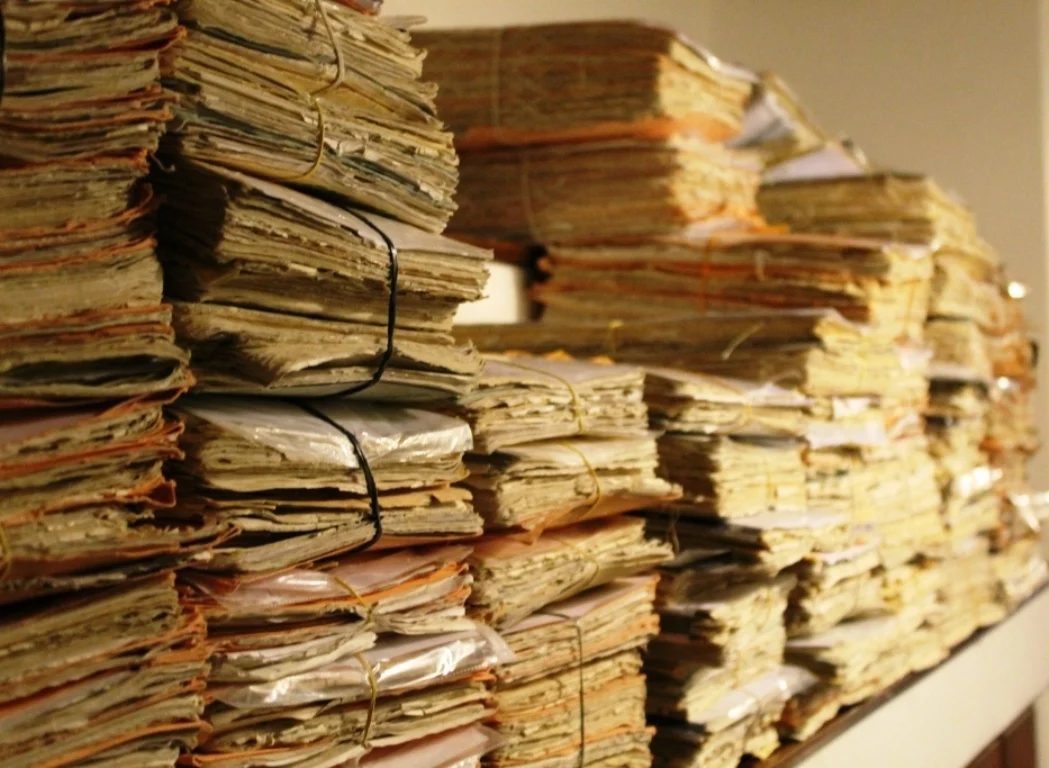
Beyond the problems of keeping those documents — there are specialist archiving companies that make their living from it — the real issue is being able to find a piece of information in all that dusty paperwork.
Today a large share of those documents already exist electronically before they are printed, and physical documents received are easily scanned, either with a computer peripheral or with a smartphone. Digitising is therefore no longer a problem in itself.

Plenty of software already exists on the market, generally modelled on library management or on archivists' techniques. But what could be better than having, inside your ERP, a place to store, file and handle every document the organisation receives, produces or sends? That is what Odoo's Documents module offers.
After that long introduction to open this series on document management, let us get to the point.
The Documents module
The aim here is not to review every one of the module's many features, but to draw your attention to — or introduce you to — functions designed to make daily life easier.
If you want to know more about Odoo's Documents module, here is the link to the commercial overview:
and, to go further still, the official online documentation:
Documents — Odoo documentation
Importing any kind of document
The Documents module can store files of any kind — images, videos (up to 64 MB), PDFs — and can also import, create, edit and store dynamic spreadsheets.
No more need for Google Drive or Microsoft OneDrive: the secure online storage Odoo offers is unlimited.
From version 18 onwards you will also see "My drive" and "Shared with me" folders, as in Google Drive.
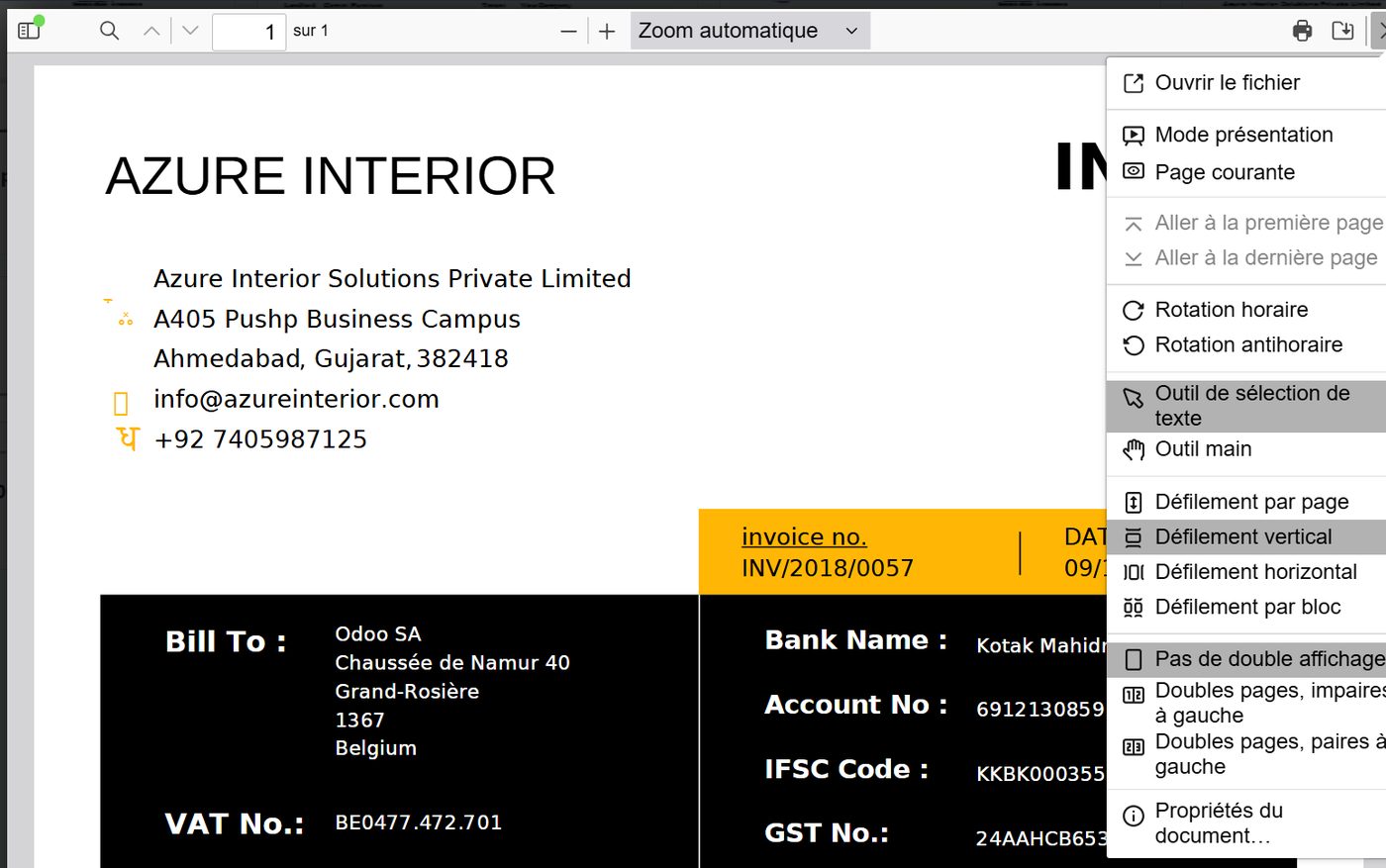
PDF documents get a reader rich in features for reading them online:
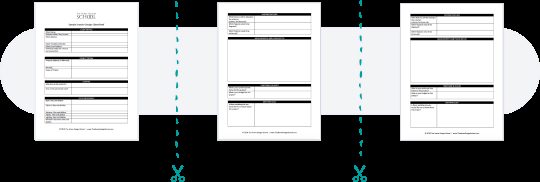
Imported PDF files can also be split, to separate their parts into different files.
A spreadsheet of the Excel kind is built into Odoo. Formulas in the sheet pull data out of the Odoo database very simply, and can feed the Dashboard module as well. From the Documents module, or from a pivot-table analysis in another module, you can create a spreadsheet that fills itself directly with all the data you need.
Workspaces
In the Documents module, documents are grouped in folders and subfolders called workspaces.
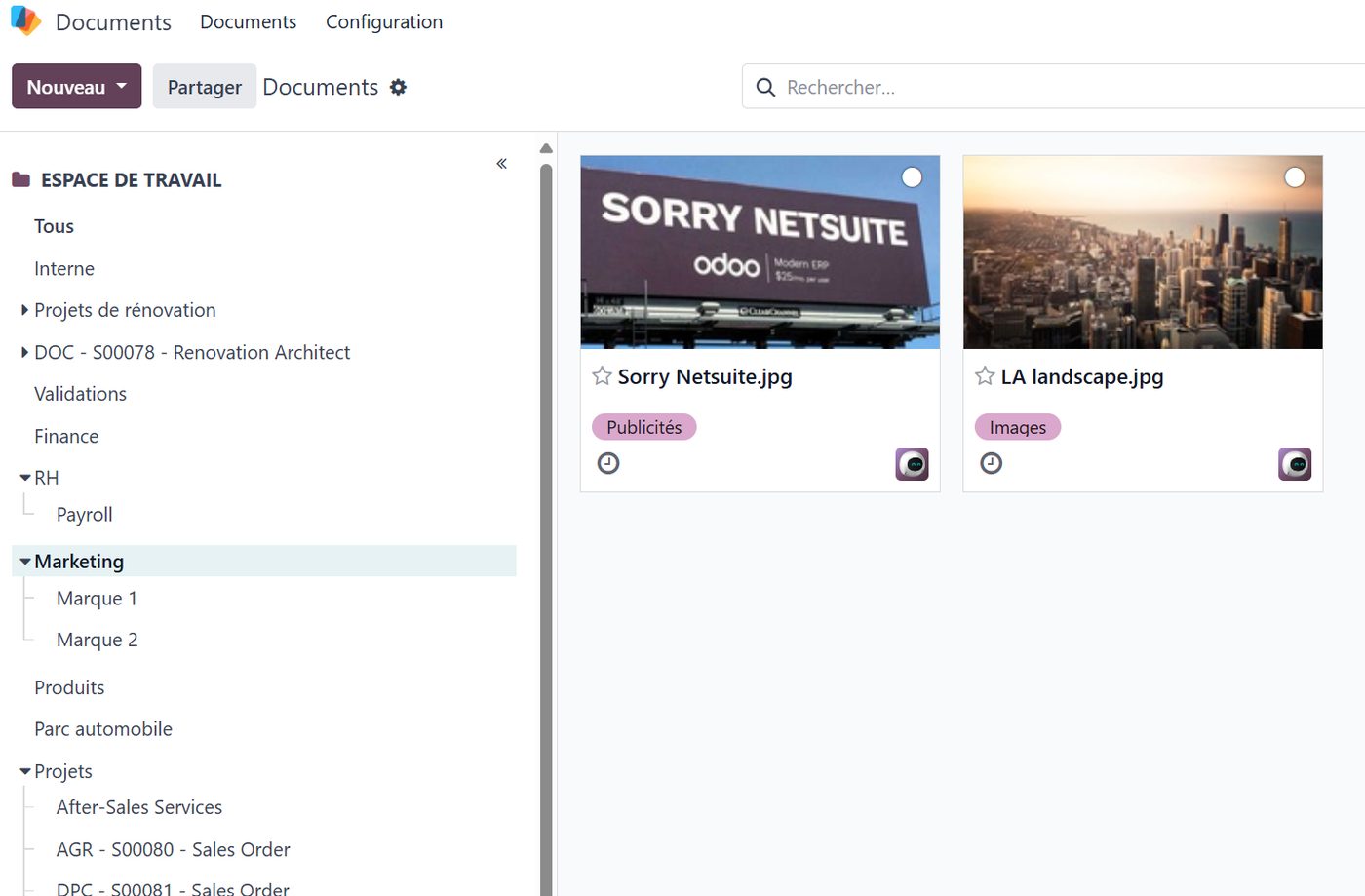
You can create as many workspaces as you like, each with its own access rights for users or according to how confidential it is. Above all, Odoo can create dedicated workspaces on its own, and group the company's documents in them — by department, by nature, or by project:
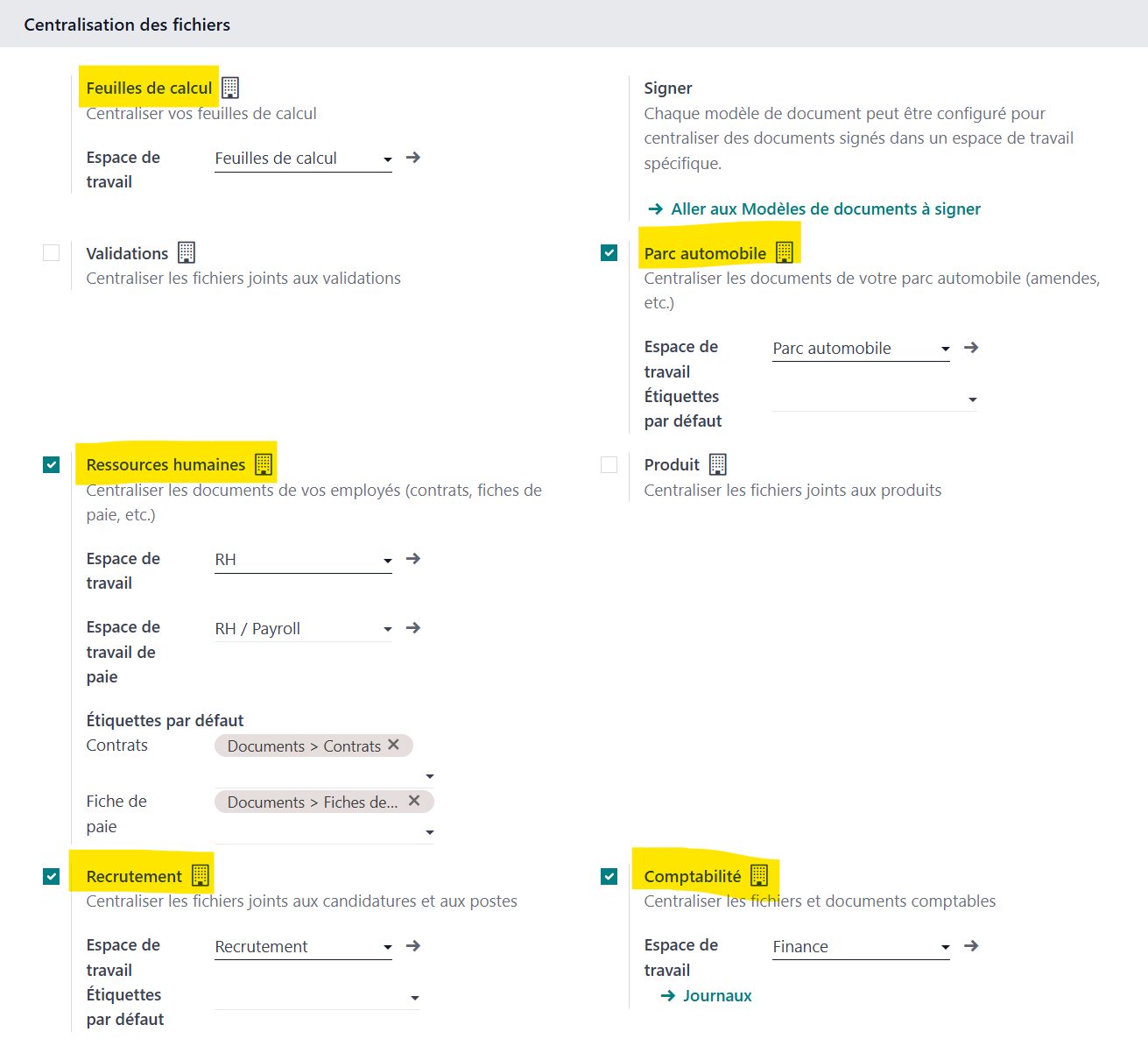
An expense claim or a digitised supplier invoice, for instance, will be filed automatically in the "Finance" workspace to make it easy to find. The supporting document of course stays tied to the record it was created from, and is therefore reachable two different ways.
A digitised supplier invoice imported into the accounts:
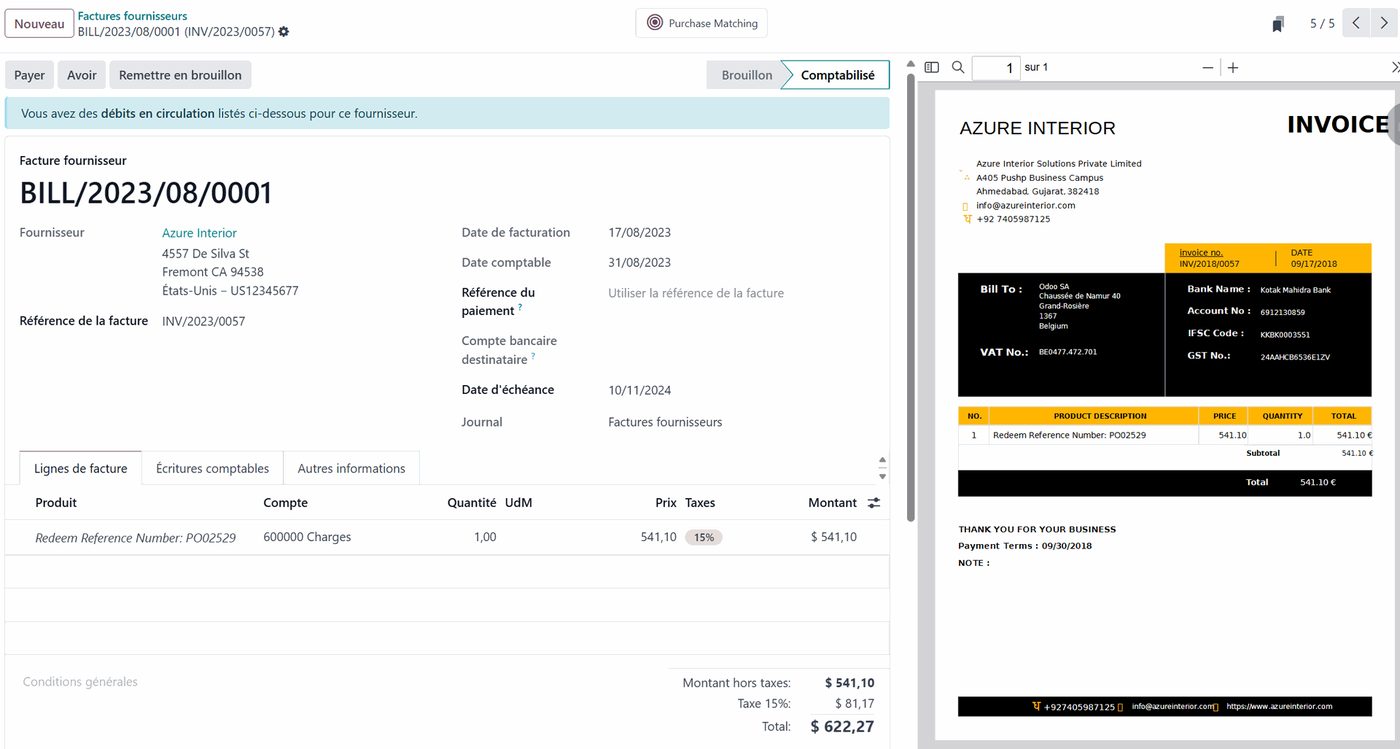
also turns up in the "Finance" workspace:
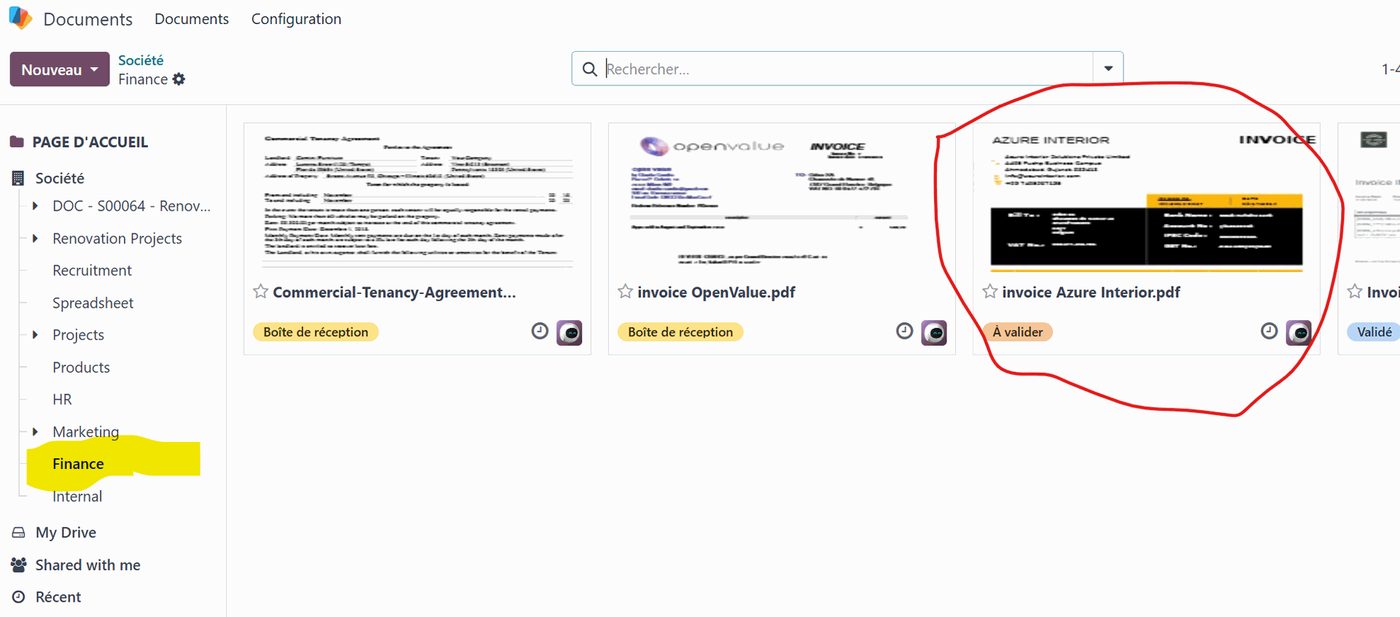
An AI module can read supplier invoices and expense claims automatically and pull out the supplier's name, the date, the amount and the VAT with no human intervention. It saves precious time on large volumes and frees people up for something other than keying.
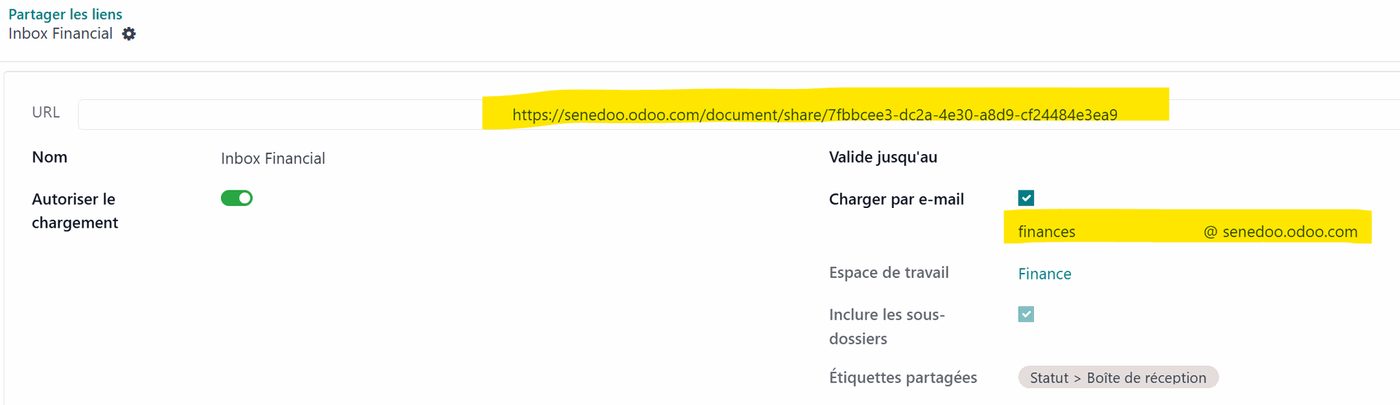
A very convenient way of importing documents is also to e-mail them in: each workspace has its own e-mail address, in the form of a customisable alias.
Every recent scanner in an all-in-one printer is connected to the internet and can send a scanned document automatically to a pre-set e-mail address — which can therefore be the alias of a workspace in Odoo.
In the screenshot below you can see the share link of an online workspace, generated automatically, and also the mail alias for sending a document to Odoo from the scanner or from your mailbox.
Gathering every document of a project
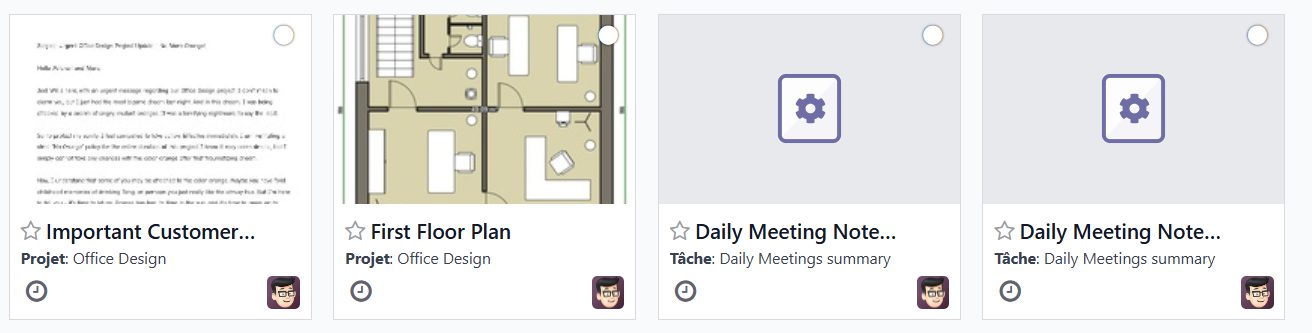
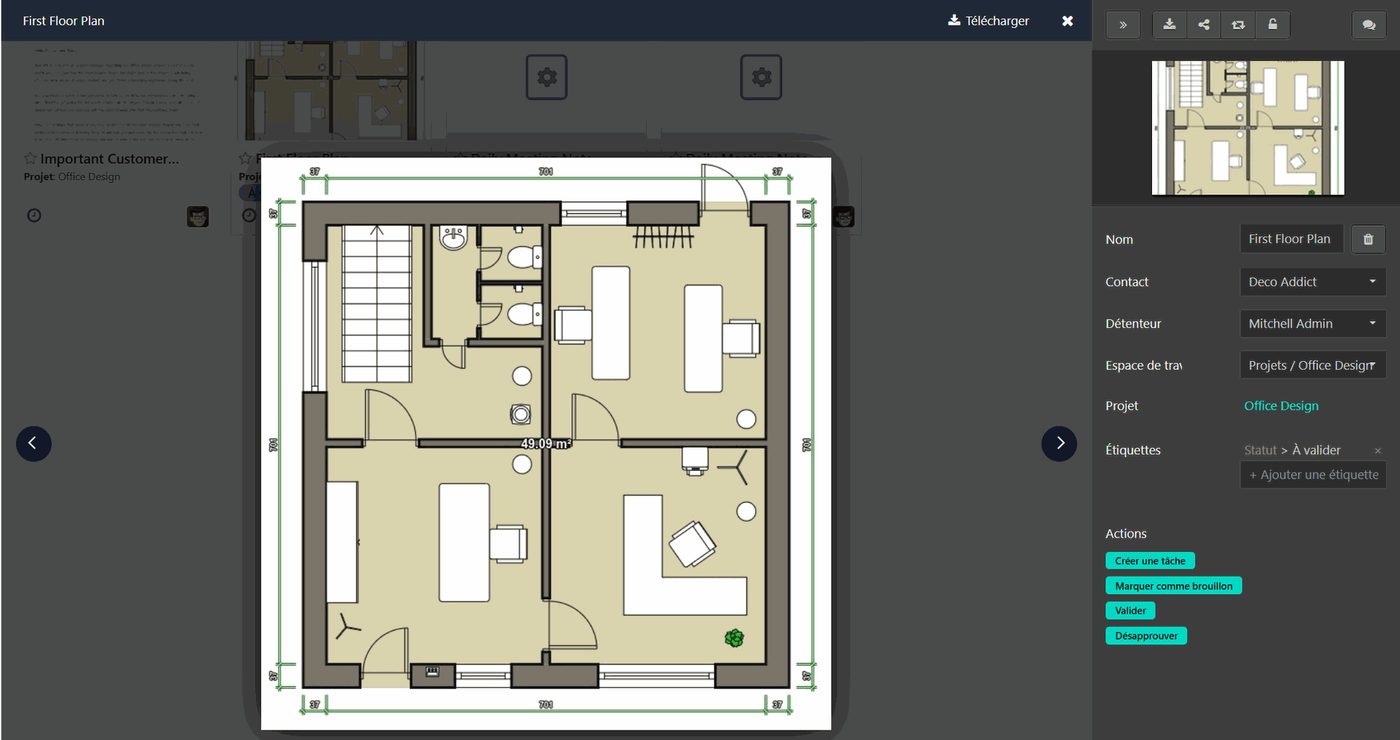
When a project is created in the Project module — automatically from a services order, or by hand — you can ask Odoo to create a workspace that gathers every project document attached either to the project or to its tasks.
You will also find the stage and milestone reports there.
Tags

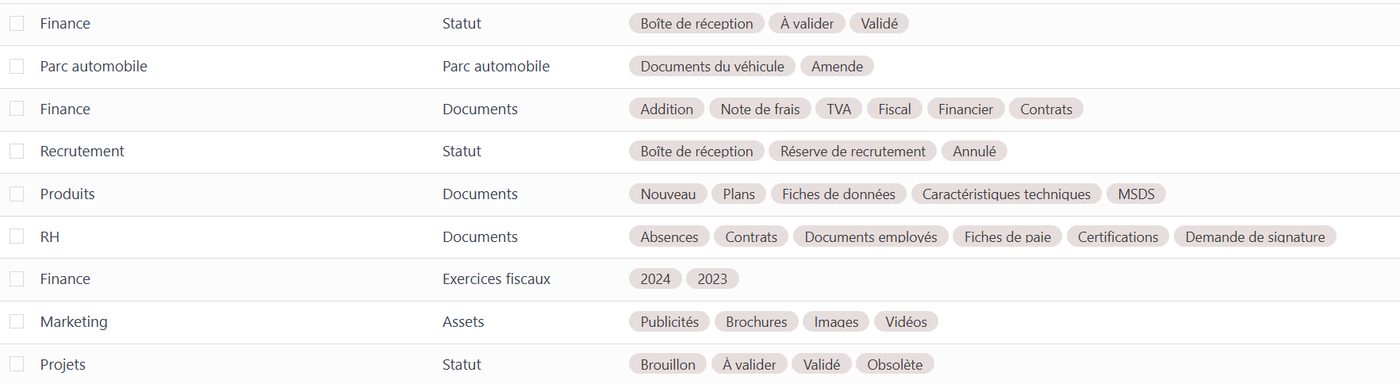
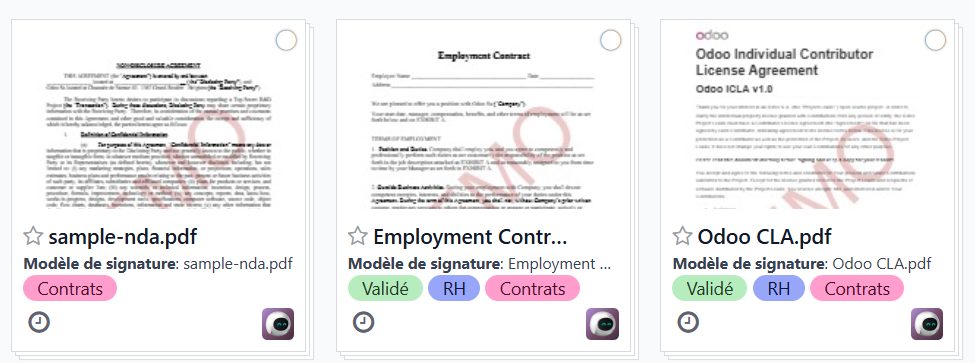
There are a thousand ways of tagging documents so they can be sorted, filtered or found easily. The system Odoo settled on is both simple and very powerful: you can put as many tags on a document as you want, each one a relevant filing criterion. Above all, you can define sets of tags per workspace, so the classification stays effective without drowning in over-long lists of criteria. Tags can be created as the need arises.
And there you are.
In this first look at the Documents module we have not touched on processing, on the actions a document can be put through, on approvals or on online signature — those will be the subject of another article.
If you would like to know Odoo better, or if you are thinking of deploying this fine tool in your organisation, do get in touch with one of our experts using the "Get in touch" button at the top of this page.