
Odoo vendor bills
Vendor bills read, checked, then paid when due.
Vendor bills read automatically, checked against your purchase orders and paid on time.
What the Vendor bills app does.
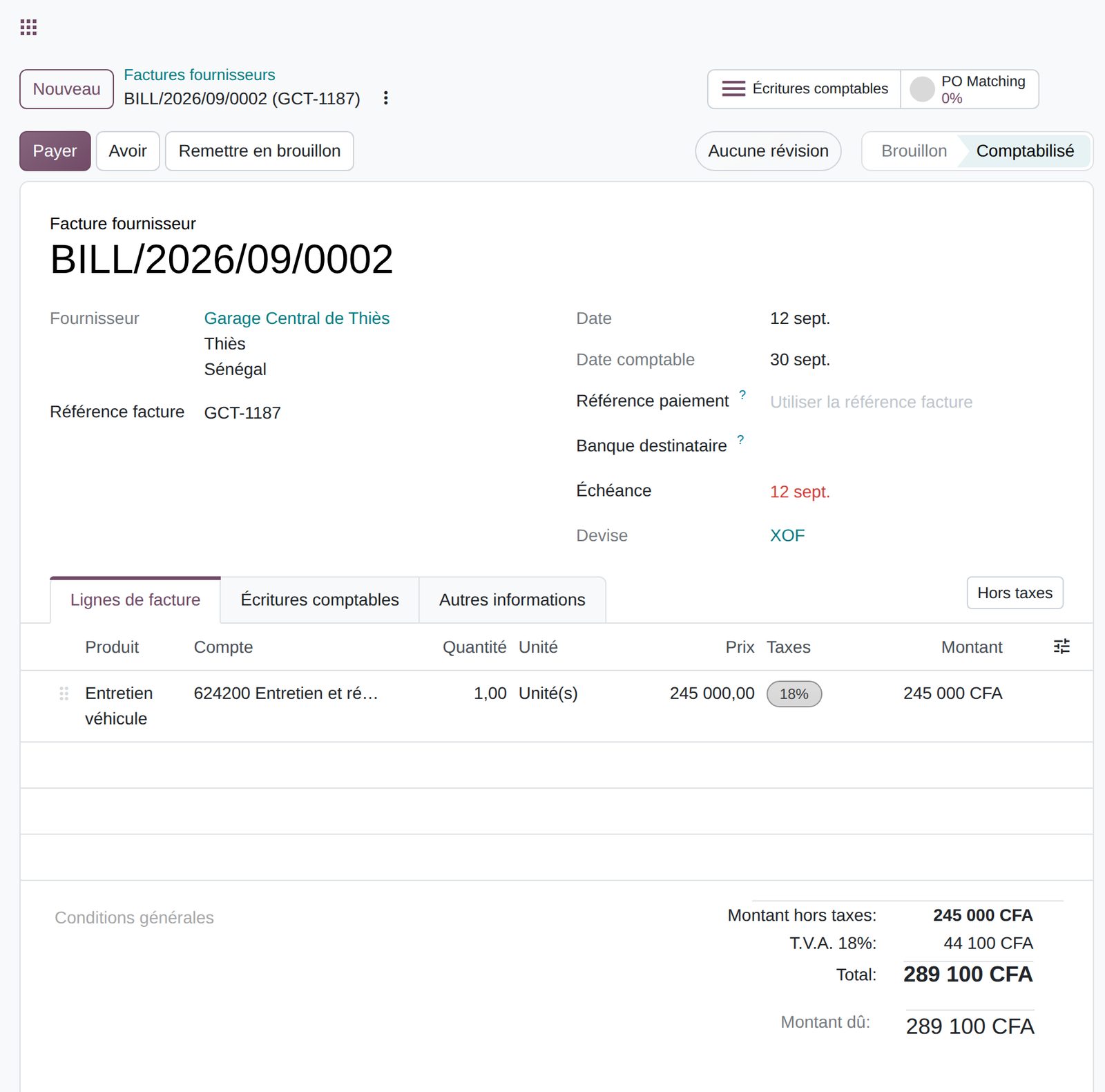
Drop a PDF: vendor, dates, lines, taxes and totals are read and pre-filled automatically.
Forward or scan bills to the journal's address: each PDF becomes a draft bill.
For a trusted vendor, automatic posting is offered after three bills confirmed without edits.
Match the bill with purchase order lines actually received, or create the order from the bill.
Fill in a bill in one click from a previous bill or purchase order of the same vendor.
Issue the bill on the vendor's behalf in a dedicated journal, with numbering unique to each partner.
Unique reference on confirmation, customizable format and bulk resequencing when migrating data.
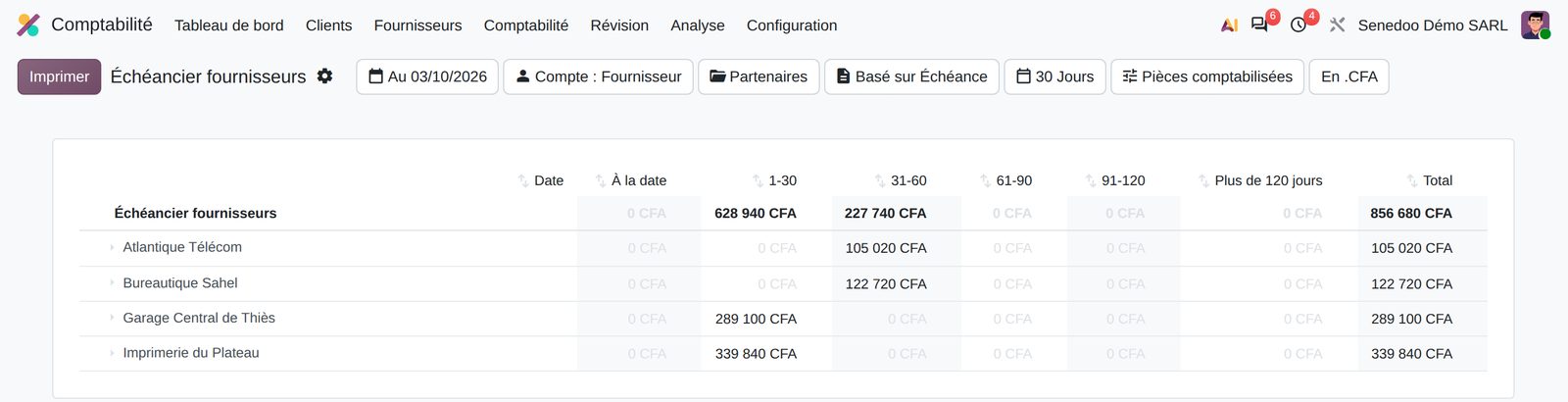
Open bills by vendor and due date, with drill-down and PDF or Excel export.
What Senedoo adds.
Apps that work with Vendor bills.
All Odoo accounting apps
Accounting kept by your operations.
An Odoo-certified consultant sets up your OHADA chart of accounts, migrates your history and installs the Senegalese returns.